How to install Reeltu on Windows
Pick the x64 or ARM installer, get past one SmartScreen screen, and Reeltu installs for your account without asking for administrator rights.
· 5 min read

Reeltu for Windows needs Windows 10 or later on an ordinary Intel or AMD PC, or Windows 11 on an ARM PC such as a Snapdragon laptop. There is a separate installer for each.
1. Choose the right installer
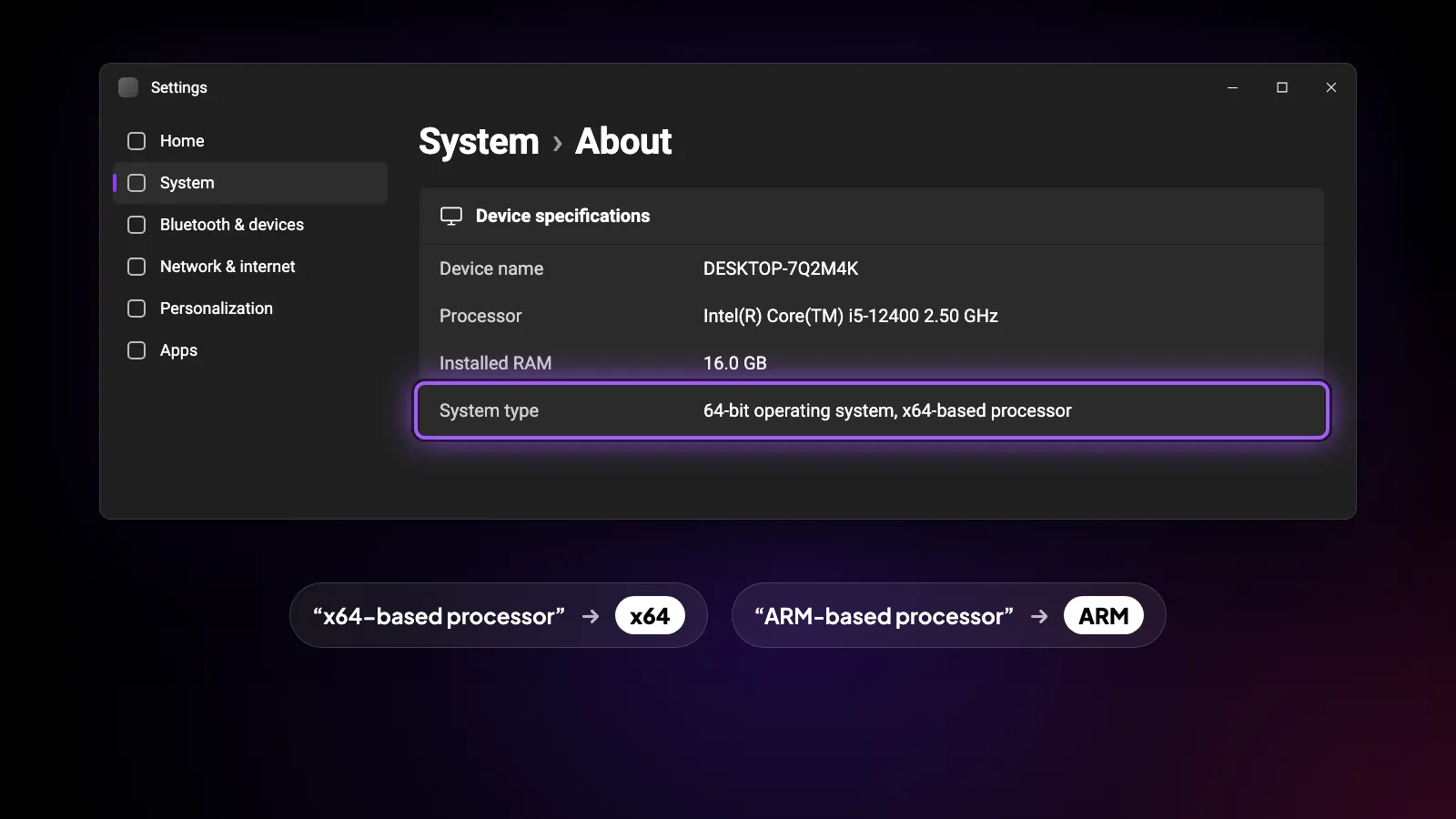
reeltu.com/download shows the x64 build first, which is right for almost every PC. If you are not sure what you have, open Settings › System › About and look at System type: “x64-based processor” means the x64 build, “ARM-based processor” means the ARM one.
2. Run the installer
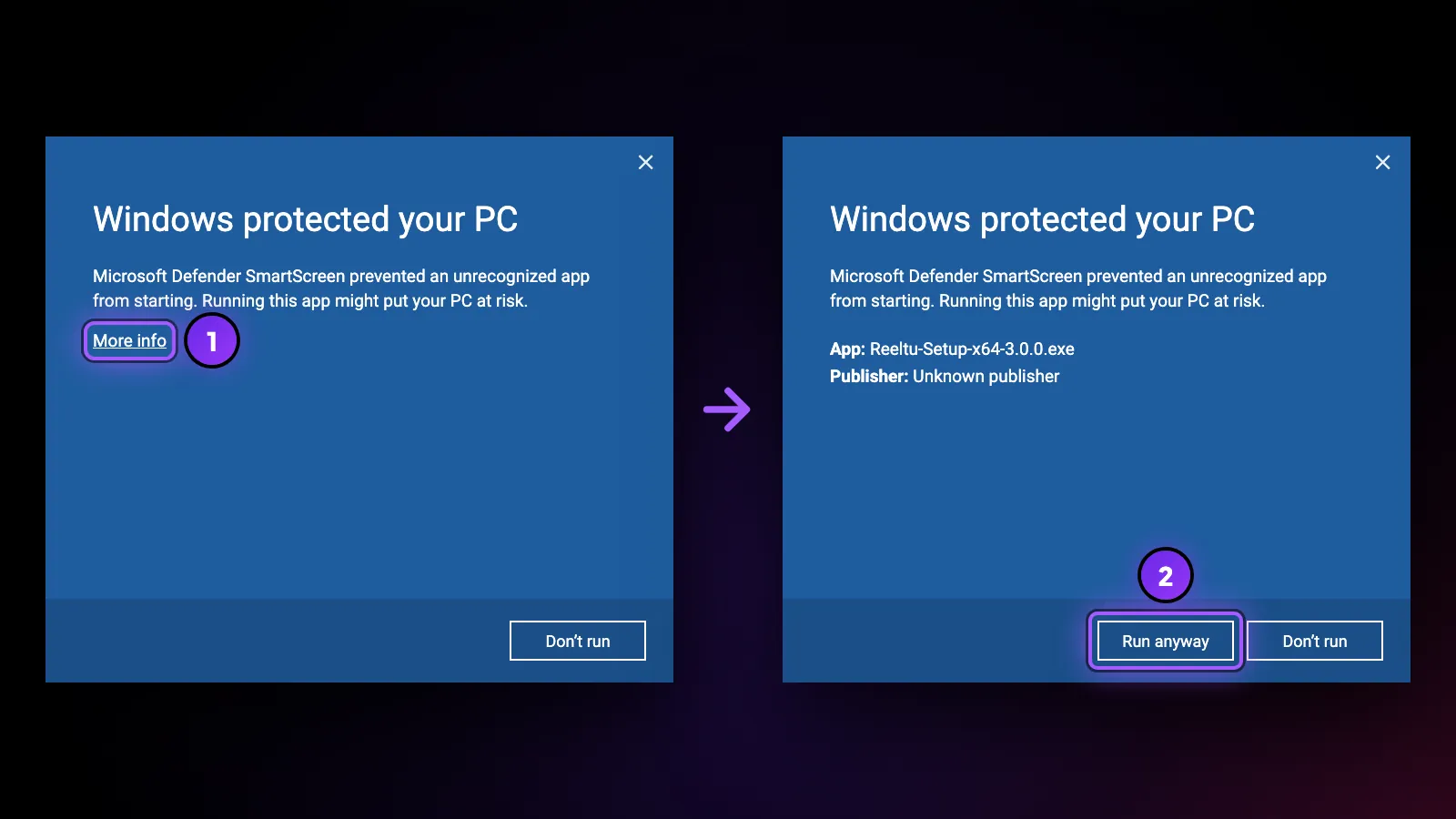
Open the downloaded file. Windows SmartScreen may stop it with a “Windows protected your PC” screen, because the installer is not signed with a commercial certificate and SmartScreen does not recognise the publisher. Select More info, then Run anyway.
There is no administrator prompt: Reeltu installs for your user account only, adds shortcuts to the Start menu and the desktop, and opens when it is done.
Good to know
Closing the Reeltu window hides the app instead of quitting it, and stops anything that was playing. Open it again from the desktop shortcut or the Start menu.
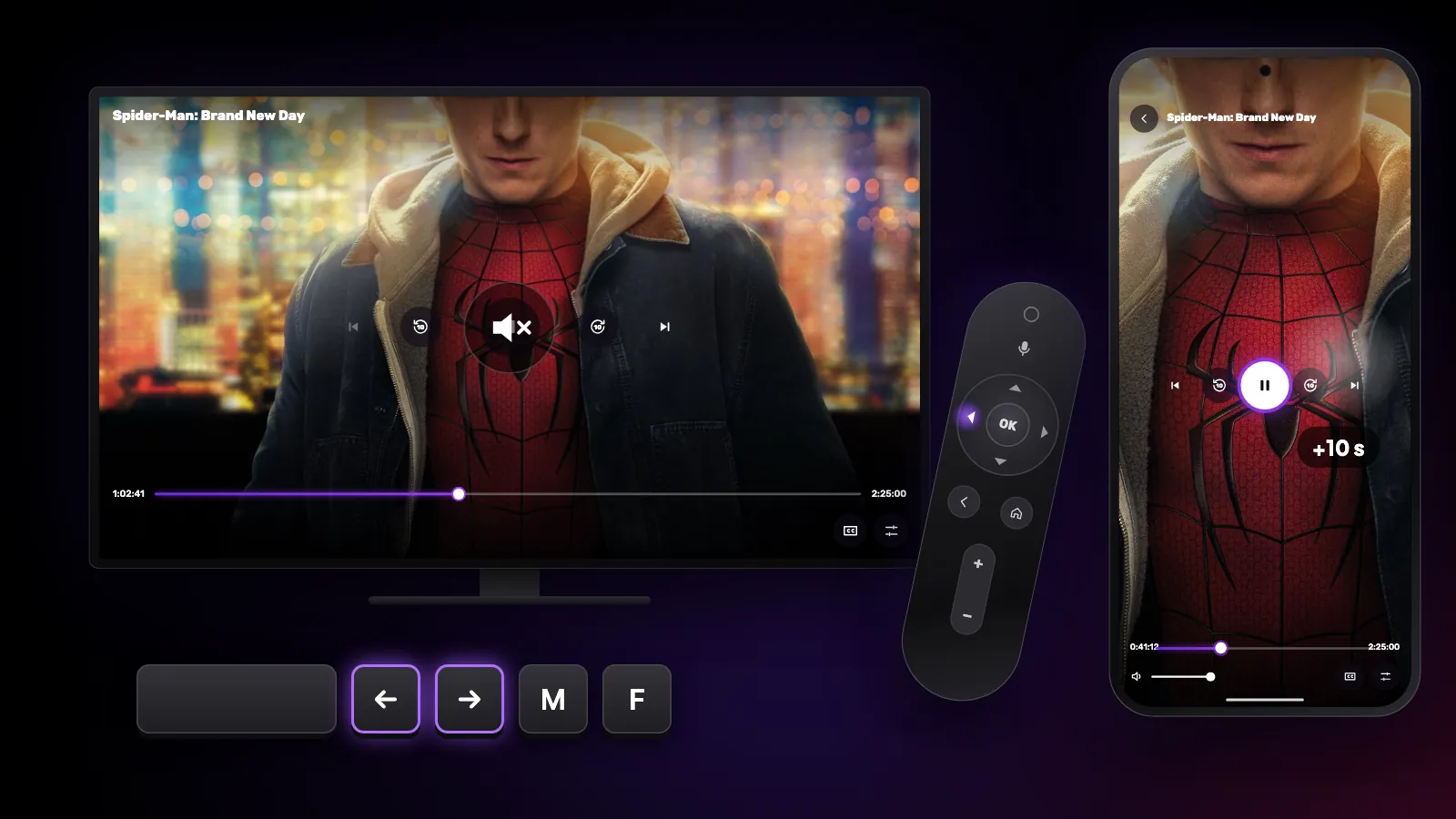
In the player, Space plays and pauses, the left and right arrows skip 10 seconds, the up and down arrows change the volume, F switches full screen and M mutes. Esc closes the open panel, and then the player.
Updates
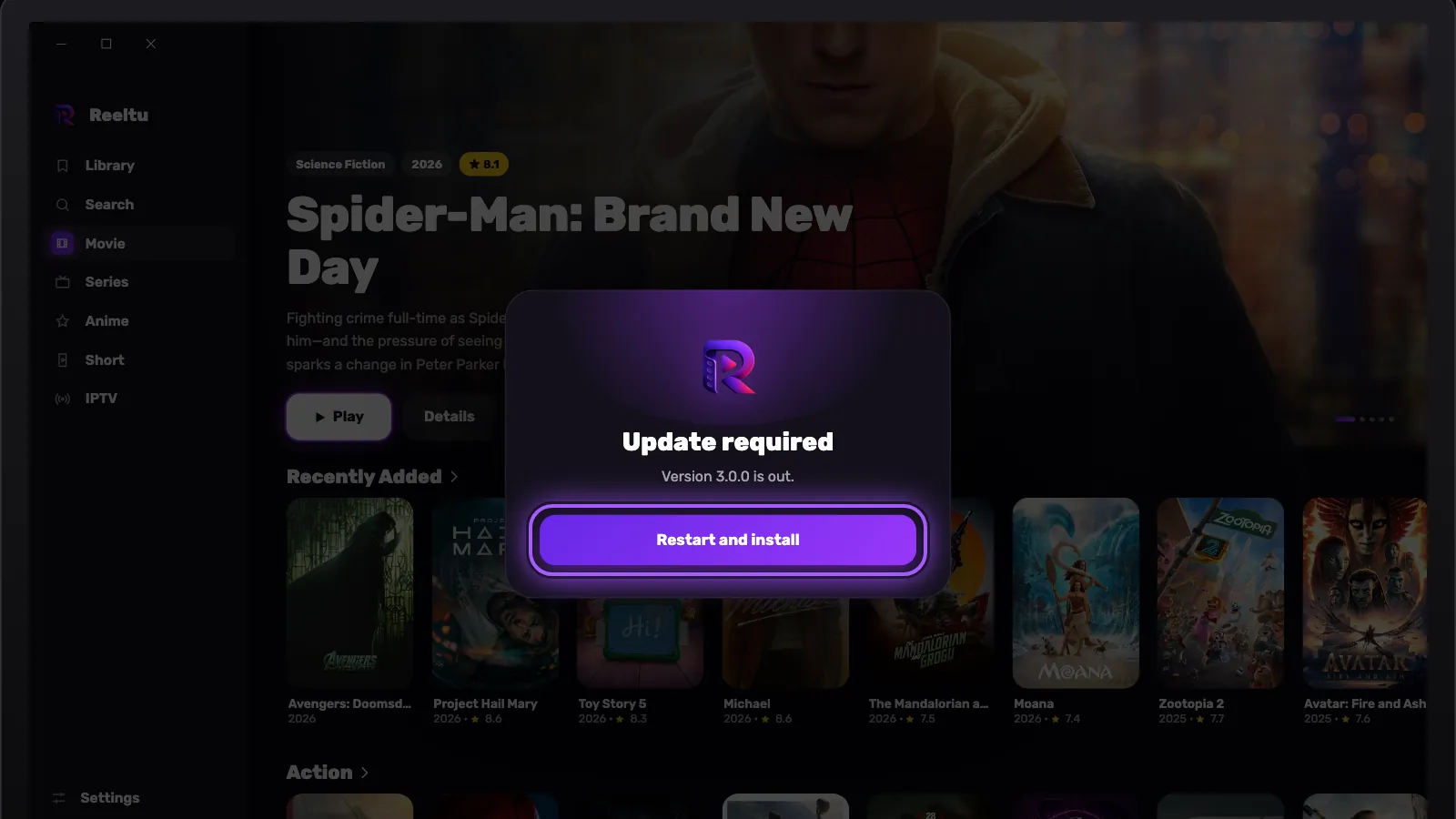
Reeltu asks you to update only when a new version is required; until then it keeps working as it is. When one is required, an Update required screen appears, downloads the installer on its own and then shows a Restart and install button. Press it and the installer runs silently and opens Reeltu again, with nothing to click through.
Uninstalling
Reeltu is listed like any other app: find it under Settings › Apps and choose Uninstall.
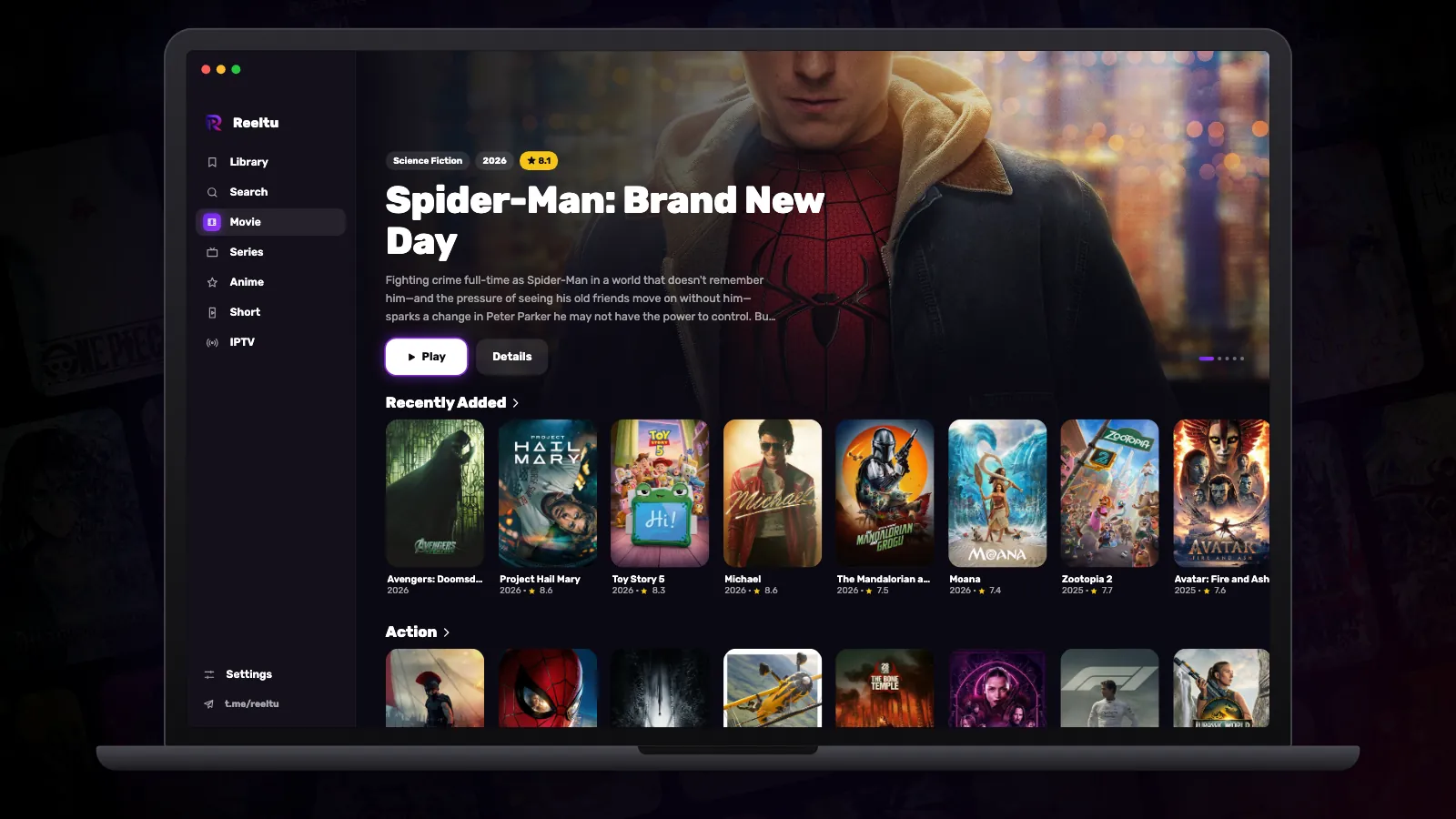
Watch Reeltu
30 seconds of the app, in your language.
Keep reading
Guides
Shortcuts and gestures you might not know
The hidden controls in Reeltu: remote keys on Android TV, touch gestures on the phone, and keyboard and mouse shortcuts on Windows and Mac.

Guides
How to install Reeltu on an Android phone
Reeltu comes as an APK straight from our release server. Download it in your browser, allow that browser to install apps once, and you are done in a minute.
Guides
How to install Reeltu on a Mac
A disk image you open and drag into Applications. The app is signed and notarised by Apple, so macOS opens it without an unidentified-developer warning.