How to install Reeltu on a Mac
A disk image you open and drag into Applications. The app is signed and notarised by Apple, so macOS opens it without an unidentified-developer warning.
· 4 min read

In this article
Reeltu for Mac needs macOS 15 or later and runs natively on both Apple silicon and Intel Macs — there is one download for both.
1. Download and open the disk image
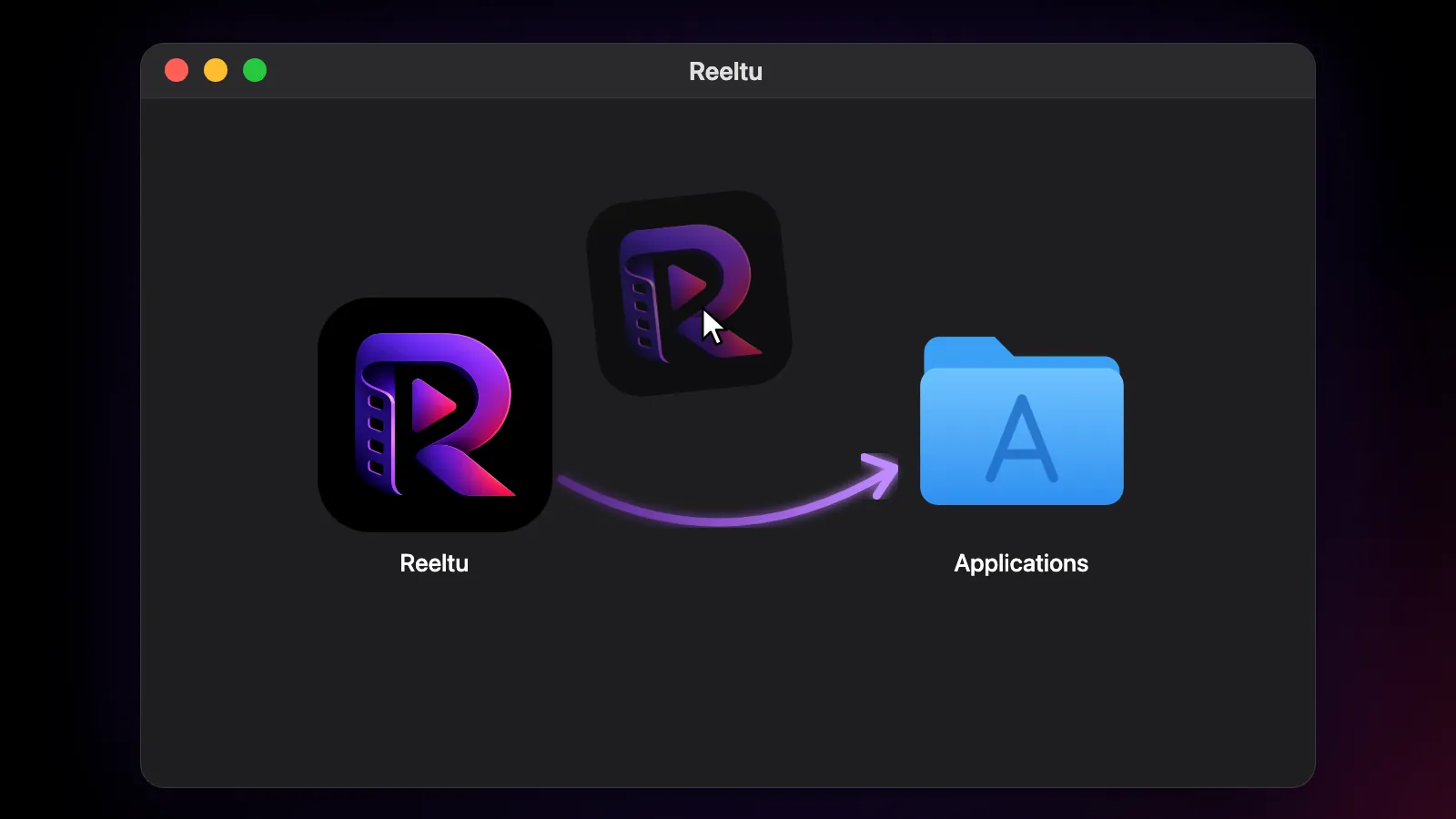
Go to reeltu.com/download and download the macOS build. It is a small .dmg file. Open it from your Downloads folder; a window appears with the Reeltu icon next to your Applications folder.
2. Drag Reeltu into Applications
Drag the Reeltu icon onto the Applications folder in that window. Once it has copied, you can eject the disk image and delete the .dmg file.
3. Open it
Open Reeltu from Applications or Launchpad. The app is signed and notarised by Apple, so macOS does not show an unidentified-developer warning; the first time, it may simply ask you to confirm that you want to open an app downloaded from the internet.
The keyboard in the player
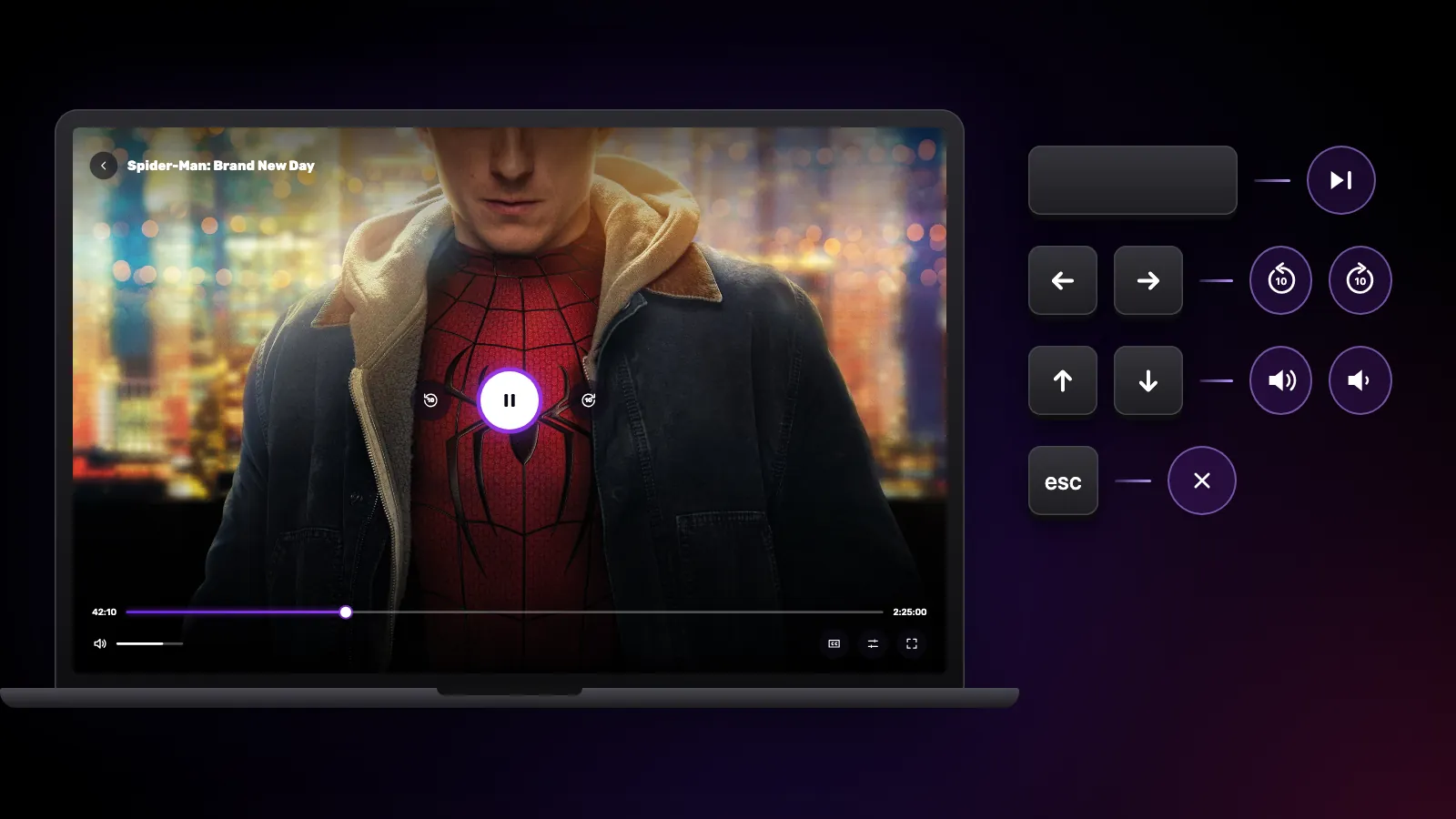
Space plays and pauses. The left and right arrows skip 10 seconds back or forward — hold one down to keep skipping — and the up and down arrows change the volume. Esc closes the open panel, and then the player. On a trackpad, a horizontal swipe seeks and a vertical one changes the volume.
Updates
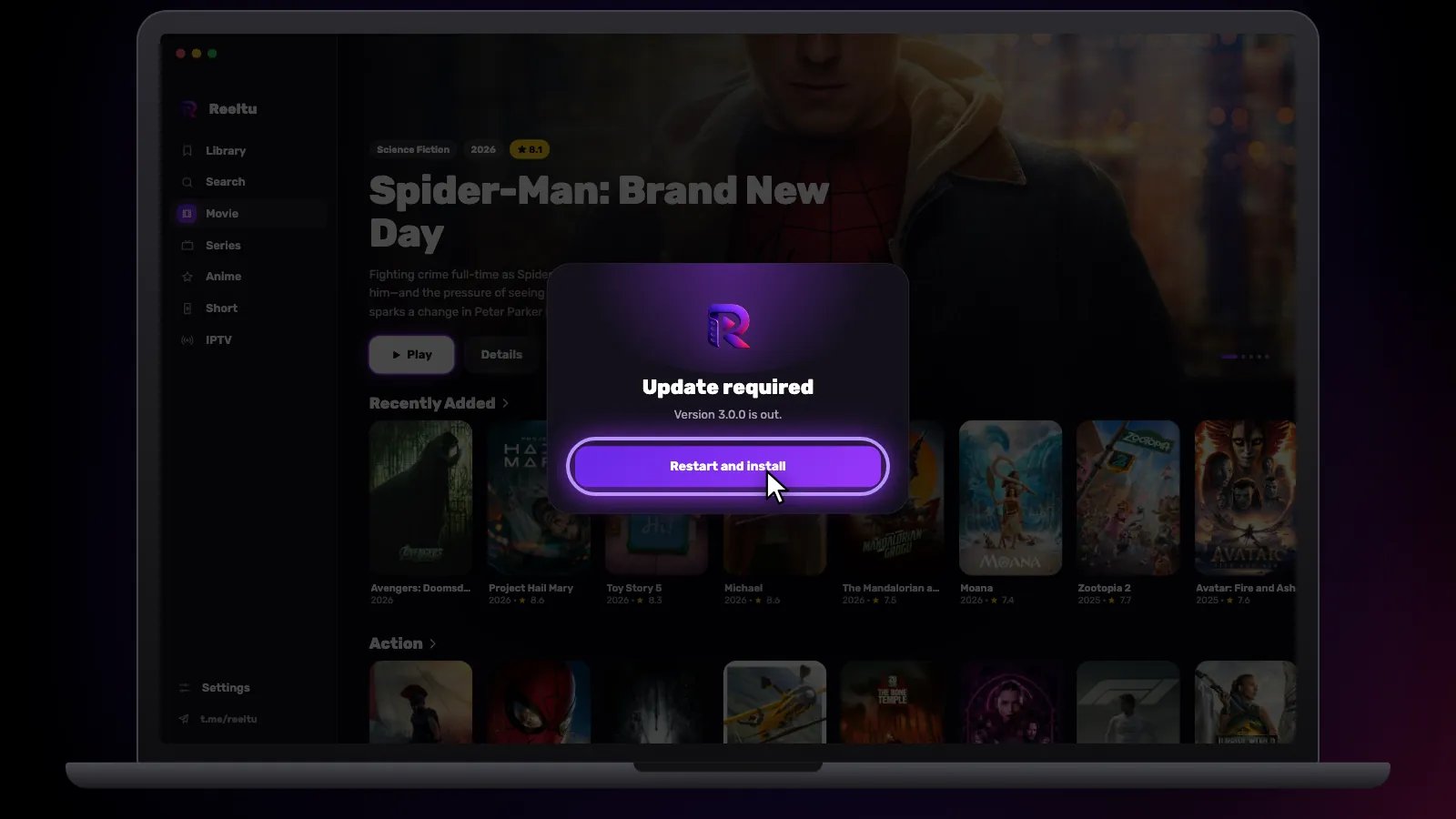
Reeltu asks you to update only when a new version is required; until then it keeps working as it is. When one is required, an Update required screen appears, downloads the new version on its own and then shows a Restart and install button. Press it: the app checks the download, replaces itself in Applications and opens again. Nothing is installed without that press.
Watch Reeltu
30 seconds of the app, in your language.
Keep reading
Guides
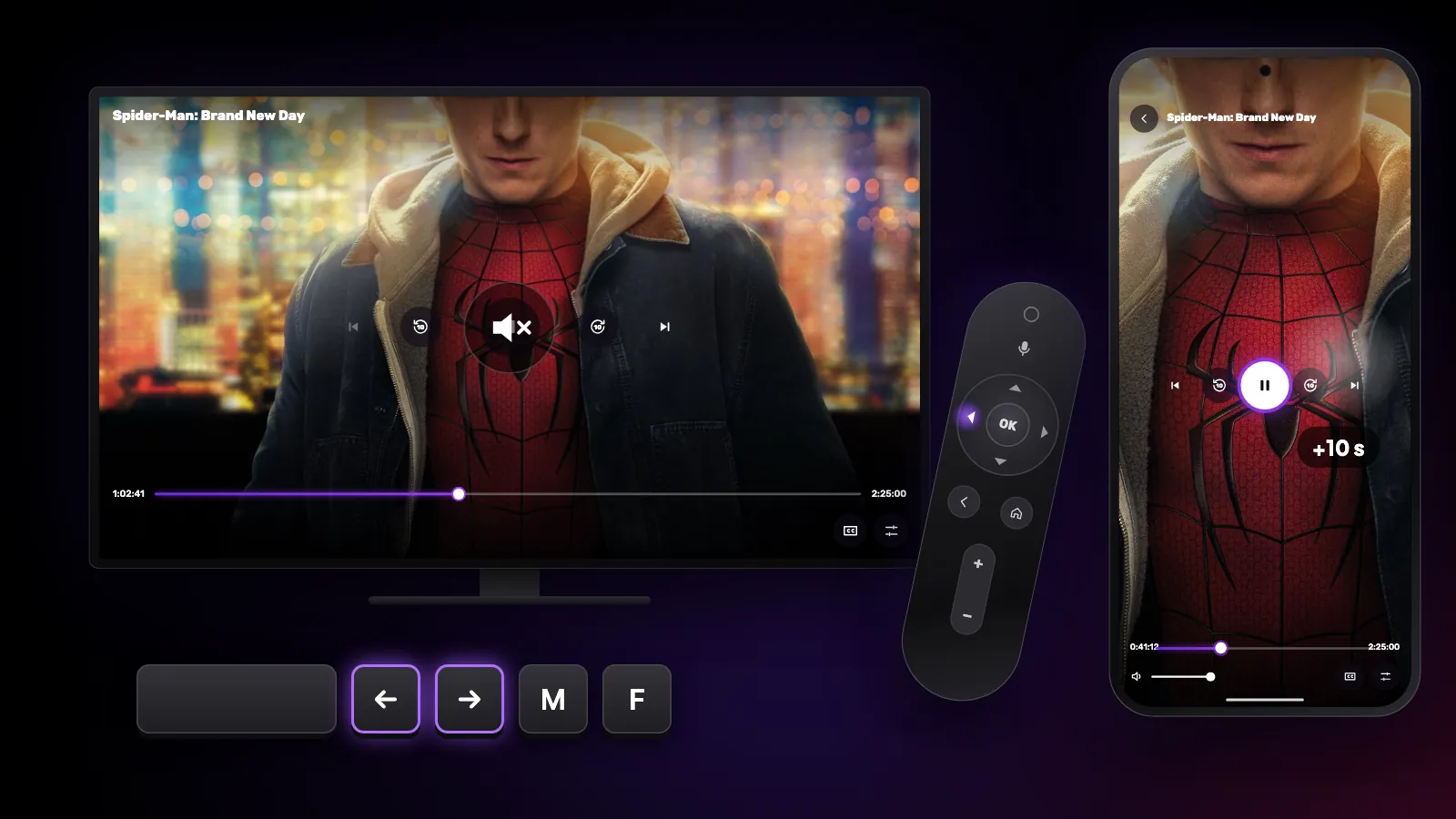
Shortcuts and gestures you might not know
The hidden controls in Reeltu: remote keys on Android TV, touch gestures on the phone, and keyboard and mouse shortcuts on Windows and Mac.

Guides
How to install Reeltu on an Android phone
Reeltu comes as an APK straight from our release server. Download it in your browser, allow that browser to install apps once, and you are done in a minute.

Guides
How to install Reeltu on Windows
Pick the x64 or ARM installer, get past one SmartScreen screen, and Reeltu installs for your account without asking for administrator rights.